
Workspaces
Kyona organizes everything you do into workspaces. There are two kinds: your Personal workspace, which is the default and meant for you alone, and Shared workspaces, which are built for teams. Think of them as two parallel Kyonas living under the same account — each one has its own memory, its own connected apps, and its own way of being reached.
Your Personal workspace
Your Personal workspace is created automatically when you sign up. It's your private Kyona, and nobody else can see inside it. Everything that lives here belongs to you:
- Personal memory. Notes, preferences, recurring context, and anything Kyona has learned about you over time.
- Personal integrations. Calendar, email, notes, and any other apps you've connected stay scoped to this workspace.
- Personal channels. The places you talk to Kyona from — the mobile app, your linked Telegram, voice calls — are all yours.
If you never need a team setup, the Personal workspace is the only one you'll ever use.
Shared workspaces (for teams)
A Shared workspace is a parallel Kyona built for a group of people. It has its own memory, its own connected apps, and its own conversation history. Members of the workspace interact with that Kyona together, and what one member shares with it becomes context the others can rely on.
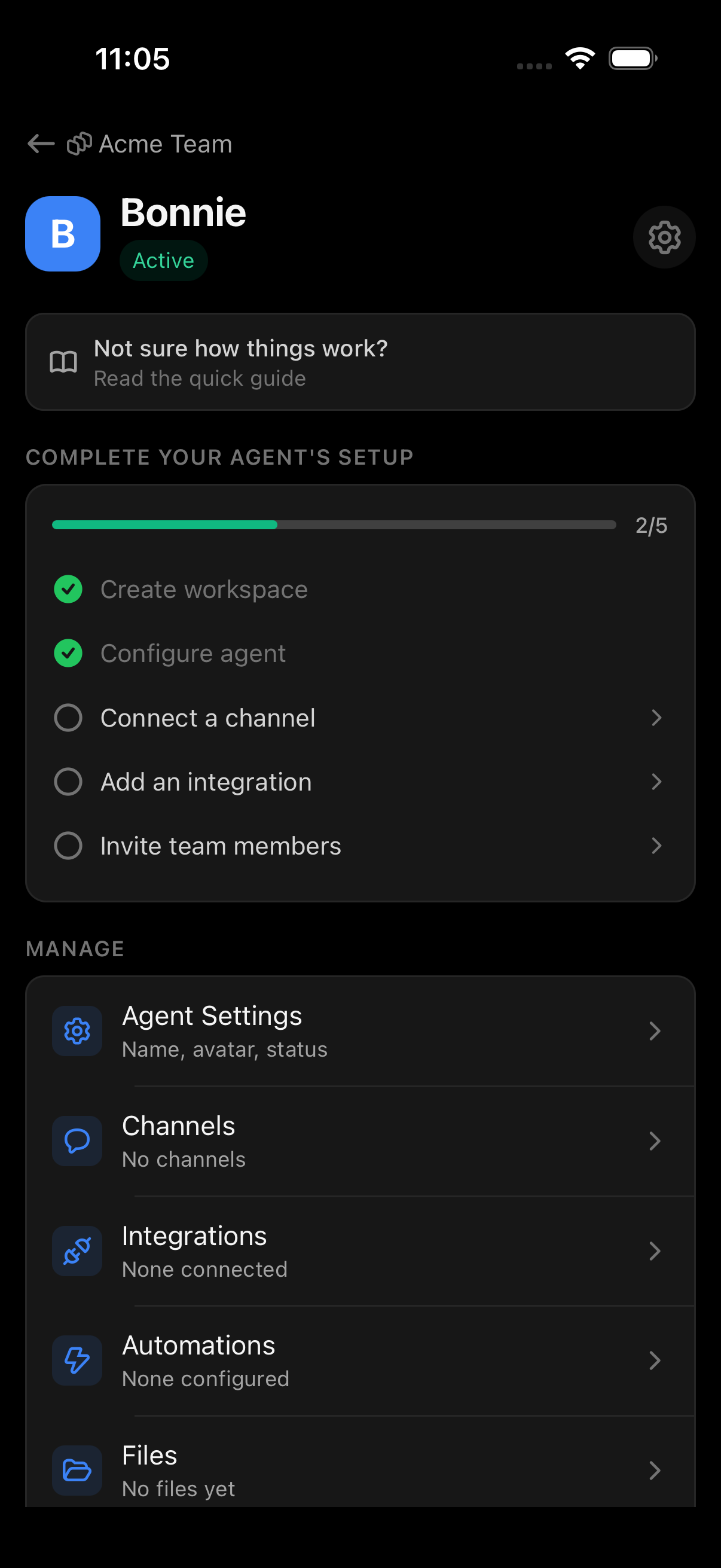
A Shared workspace is not an extension of your Personal one. It's a separate Kyona, with its own knowledge and its own boundaries. Members reach it through a channel the team sets up — most commonly a Telegram bot the team provides — rather than through the Kyona mobile app.
What's separate between Personal and Shared
| Area | Personal | Shared |
|---|---|---|
| Memory | Yours alone | Belongs to the workspace |
| Connected apps | Your accounts | Workspace-level connections |
| Conversation history | Private to you | Visible to members |
| Channels | Your mobile app, your Telegram | Team channel (typically a bot) |
| Billing | Your plan | One payer for the workspace |
| Members | Just you | The people you invite |
Nothing crosses between the two automatically. A calendar you connect in Personal won't appear in a Shared workspace, and a memory the team builds together won't show up in your private Kyona.
What's the same
Your account is shared across both. You sign in once, and the workspace switcher lets you move between your Personal workspace and any Shared workspaces you belong to. The same login, the same notification settings, the same device — different Kyonas behind the curtain.
Switching between workspaces
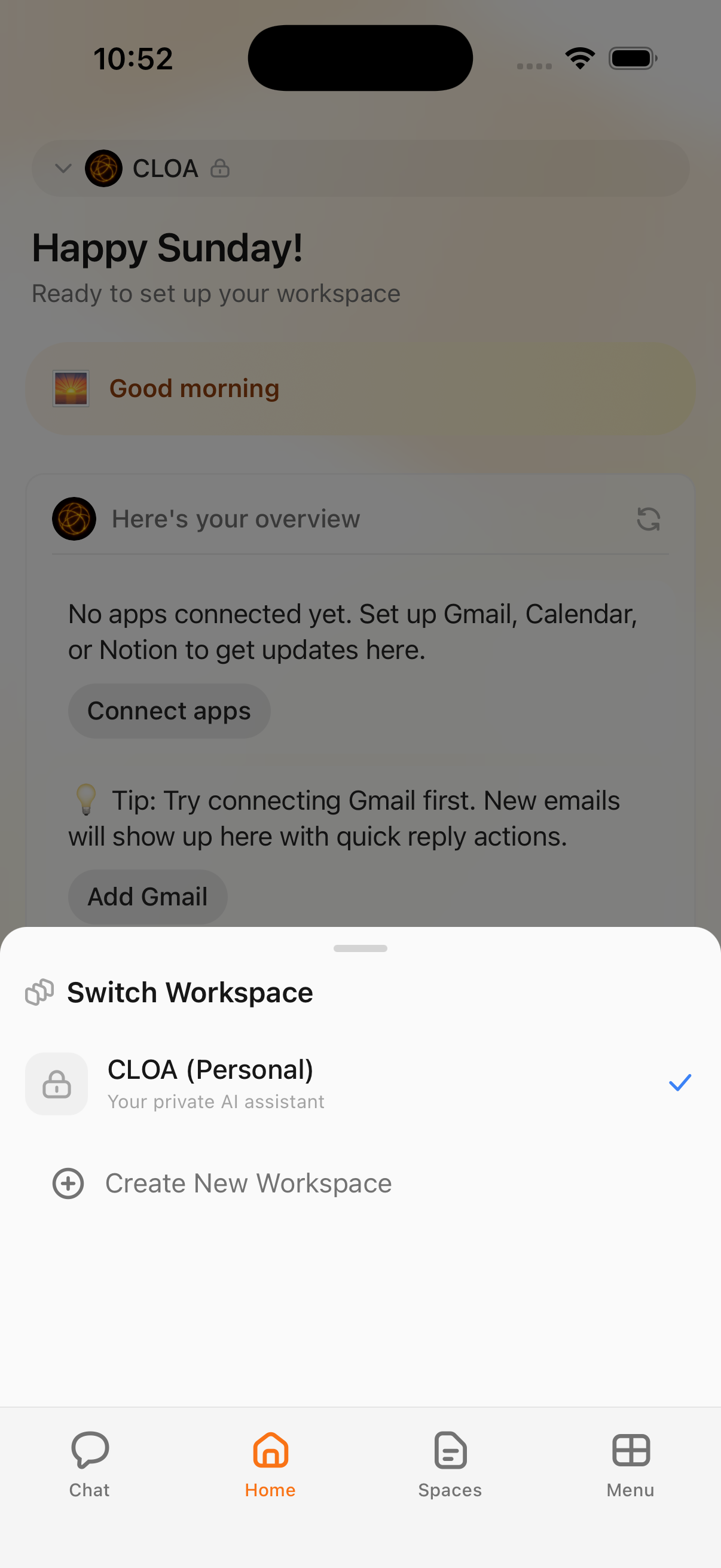
From the mobile app, tap the workspace name at the top of the screen to open the workspace switcher. You'll see your Personal workspace and any Shared workspaces you've been invited to. Tap one to switch context — Kyona, your apps, and your conversation history all change to match the workspace you've selected.
When you'd want a Shared workspace
Shared workspaces are useful any time a group of people needs to work with the same Kyona and the same shared context. Common examples:
- A small business team. Everyone can ask Kyona about the team's calendar, shared notes, and connected tools.
- A project group. A short-lived workspace dedicated to a single initiative, so context stays scoped.
- A family or household. A shared Kyona that knows the family's calendar, plans, and recurring details.
If the work you're doing benefits from more than one person being on the same page, a Shared workspace is the right home for it.
How members chat with the shared Kyona
Members of a Shared workspace don't talk to it from the Kyona mobile app. Instead, the workspace is reached through a channel the team brings — typically a Telegram bot you set up and provide. Each member messages that bot, and the conversation is routed to the workspace's Kyona.
This keeps the team's interaction in a place they already use every day, and lets the workspace owner control how members connect. See Bring your own Telegram bot for the setup.
Billing for shared workspaces
A Shared workspace is billed independently of your Personal plan. One person — the payer — is responsible for the workspace's subscription, and that plan covers the workspace's usage across all its members. If you belong to several Shared workspaces, each one has its own payer and its own plan.
For more on how payment is assigned and changed, see Plans and billing.
Teamspaces
Inside a Shared workspace, you can group members into teamspaces — subspaces that scope context to a department, project, or smaller group within the larger workspace. This is useful when a single workspace covers a whole company but different teams need their own conversational boundaries.
For details on creating teamspaces and managing who belongs to which, see Members and teamspaces.
See also
Background actions
Kyona is learning to set up routines on its own based on how you use it. Here's what proactive automations will do — and what you control today.
Create a workspace
Walk through the in-app wizard to set up a shared Kyona for your team — pick a group type, name it, name its agent, and choose a channel.