
Privacy and your data
Kyona stores the minimum needed to be useful, and you decide what to share, what to keep, and what to remove.
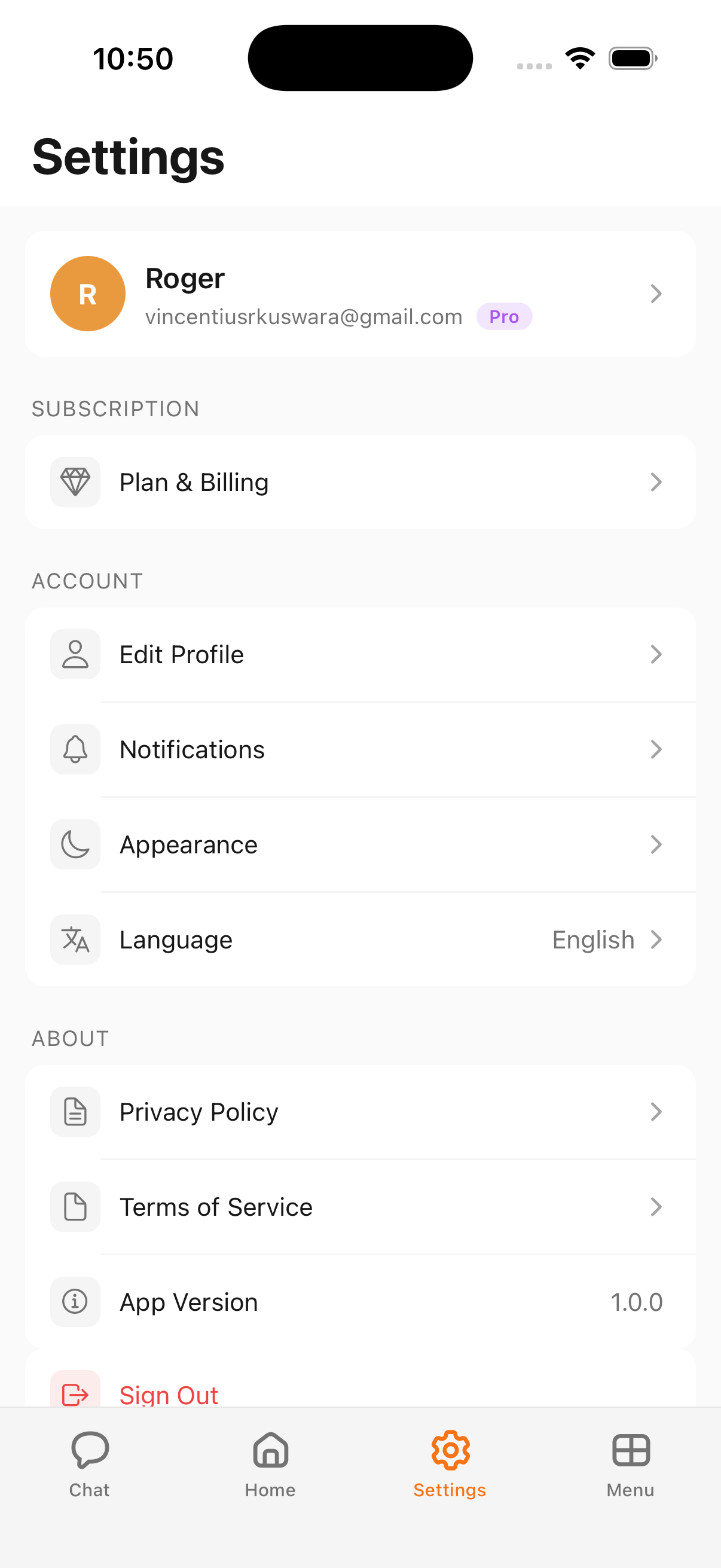
What Kyona stores
Kyona keeps a small set of data so it can hold a conversation, remember what matters to you, and reach the apps you've connected.
- Your chats. Every message you send and every reply Kyona gives, including chats with companions. This is what lets Kyona pick up where you left off.
- Your long-term memory. Facts you've shared or that Kyona has noted from your conversations — preferences, routines, the people in your life. You can read and edit this anytime.
- Your connection credentials. When you connect an app, Kyona saves the connection itself in encrypted form. This is the key that lets Kyona act on your behalf inside that app.
- Your account profile. Your name, email, profile photo, language, and a few preferences from Settings.
All of it is encrypted in storage and in transit.
What Kyona doesn't store
- Your passwords. Kyona connects to other apps through the standard sign-in flow each app provides. Your passwords never reach Kyona.
- Raw data from apps you haven't asked Kyona about. Kyona pulls information from a connected app only when you ask. Nothing is mirrored or copied in the background.
- Voice call audio. When you call Kyona, the audio is processed live and discarded. Kyona keeps only the transcript so you can read it back later.
- Anything from apps you haven't connected. If you haven't connected an app, Kyona has no view into it.
Voice calls
The audio from a voice call is not saved. What's kept is the transcript, which lands in the chat thread for that conversation so you can scroll back, copy a line, or ask Kyona about something that came up.
If you'd rather not keep a transcript, you can delete the messages from the thread like any other chat.
Other users can't see your data
Your chats, memory, and connections are kept separate from every other user's data at the database level. Another Kyona user has no way to query, read, or surface anything from your account. Your data belongs to your account and only your account.
Asking Kyona to forget something
The simplest way to remove a memory is to tell Kyona in plain English. You don't need to find a settings menu or copy an ID.
"Forget that I mentioned my old address."
"Stop remembering my coworker Sam's birthday."
"Forget everything we talked about last week."
Kyona confirms what it's removing before deleting it. For a full walkthrough of how memory works and how to edit it directly, see How Kyona remembers.
Disconnecting an app
When you disconnect an app from Menu → Integrations, Kyona's access to that app is revoked right away. Kyona can no longer read from it or act inside it.
Your data on the service itself is untouched. Your emails stay in Gmail. Your pages stay in Notion. Your events stay in Calendar. Disconnecting only ends Kyona's access — it doesn't change anything on the other side.
If you want, you can reconnect later and pick up where you left off.
Exporting your data
A built-in export is coming soon. In the meantime, if you'd like a copy of your chats, memory, or account data, email [email protected] and the team will put together an export for you. Turnaround is usually within 48 hours.
Deleting your account
A self-serve delete button is coming soon and will live in Settings → Account.
For now, if you'd like your account and all associated data removed, email [email protected] from the address on your account. Kyona removes your chats, memory, connections, and profile within about 48 hours and confirms once it's done.
Privacy Policy and Terms
The full legal documents are linked from inside the app:
- Open Menu → Settings.
- Scroll to the About section.
- Tap Privacy Policy or Terms of Service.
You can also read the Privacy Policy on the website.