
Your morning brief
The Daily Brief is Kyona's summary of your day. It lives on the Home tab and refreshes throughout the day from your connected apps.
What you see on Home
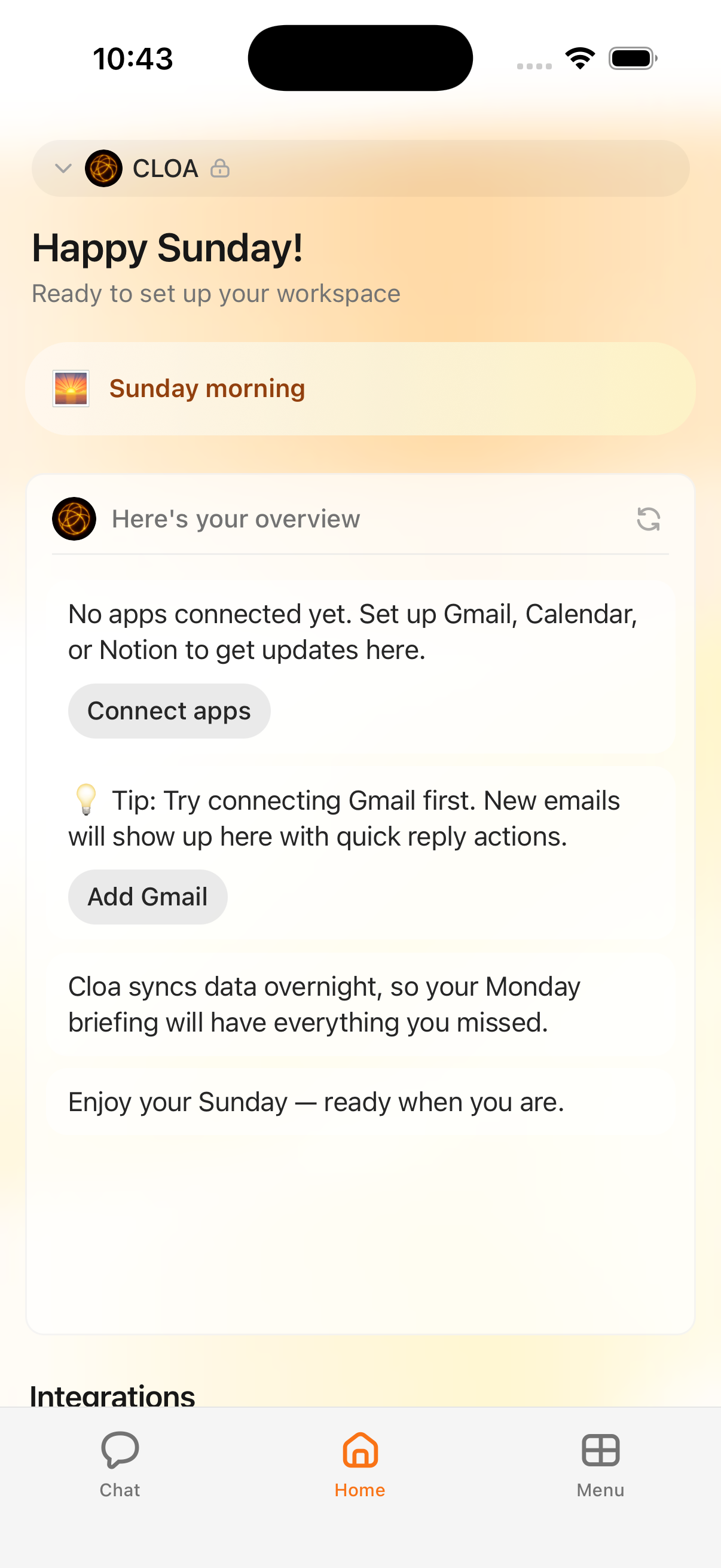
Open the Home tab (the house icon in the bottom bar) and the brief is laid out as a scrollable, conversational flow rather than a wall of bullet points.
- Greeting. A dynamic, time-aware line at the top, such as "Happy Sunday" followed by a short subtitle.
- Time-of-day pill. Just below the greeting, an orange pill anchors you in the moment with something like "Sunday morning" or "Tuesday afternoon."
- Overview bubble. A conversational message from Kyona introduces the day with a line like "Here's your overview" and summarizes what's coming up across your connected apps.
- Integration sections. When you have apps connected, the brief continues with focused bubbles for calendar, email, documents, and other sources. Each one appears as its own message so you can scan and act on what matters.
- Closing note. Kyona wraps up with context about what's next and a short sign-off, such as "Ready when you are."
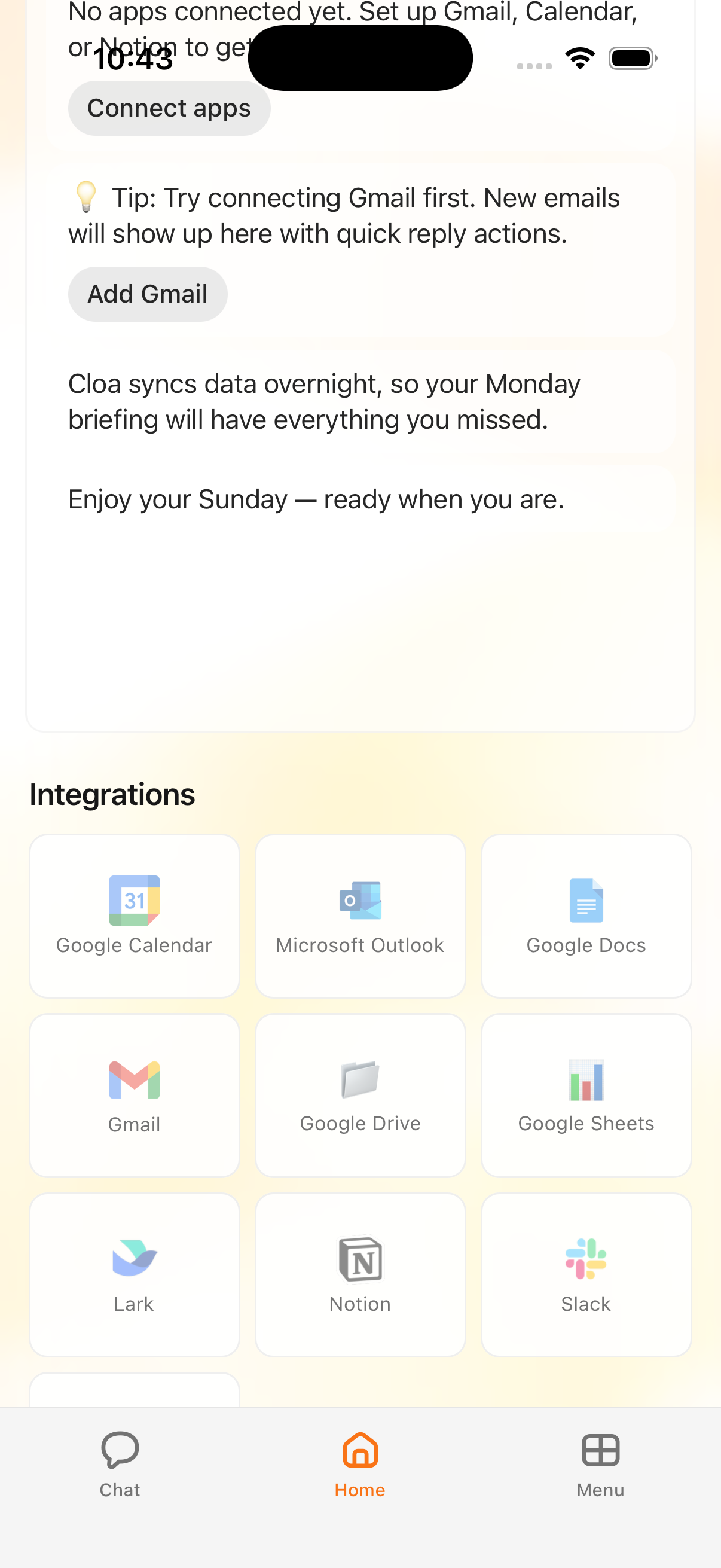
Below the conversational briefing, an integrations grid shows tiles for each connected app and its current status, so you can see at a glance which sources are powering your updates.
How it stays fresh
The brief refreshes regularly throughout the day on an hourly schedule. Kyona checks in with your connected apps about once an hour, pulls in anything new, and updates the bubbles on the Home tab. You don't need to pull to refresh or take any action — open the Home tab whenever you want a current read on your day.
Because the refresh runs throughout the day rather than as a single morning batch, the brief in the afternoon reflects meetings that were added, emails that arrived, and pages that changed since the morning.
What each integration adds
The brief gets richer as you connect more apps. Each integration contributes a different layer of context.
| Integration | What it adds to your brief |
|---|---|
| Google Calendar | Today's events, meeting times, and conflicts such as double bookings |
| Gmail | Inbox summaries in your brief are coming soon |
| Notion | Recent page changes, edits, and updates to pages you follow |
| Outlook | Work calendar events and email summaries from your Microsoft account |
| Slack | Highlights from your channels and direct messages |
Kyona also surfaces proactive nudges that draw on more than one source — for example, a birthday reminder, a heads-up about a double-booked afternoon, or a weather note when it's relevant to something on your calendar.
When no apps are connected
If you haven't linked any apps yet, the brief is still there, but with a different tone. Kyona explains that there's nothing to summarize yet and points you to the first apps that make the biggest difference:
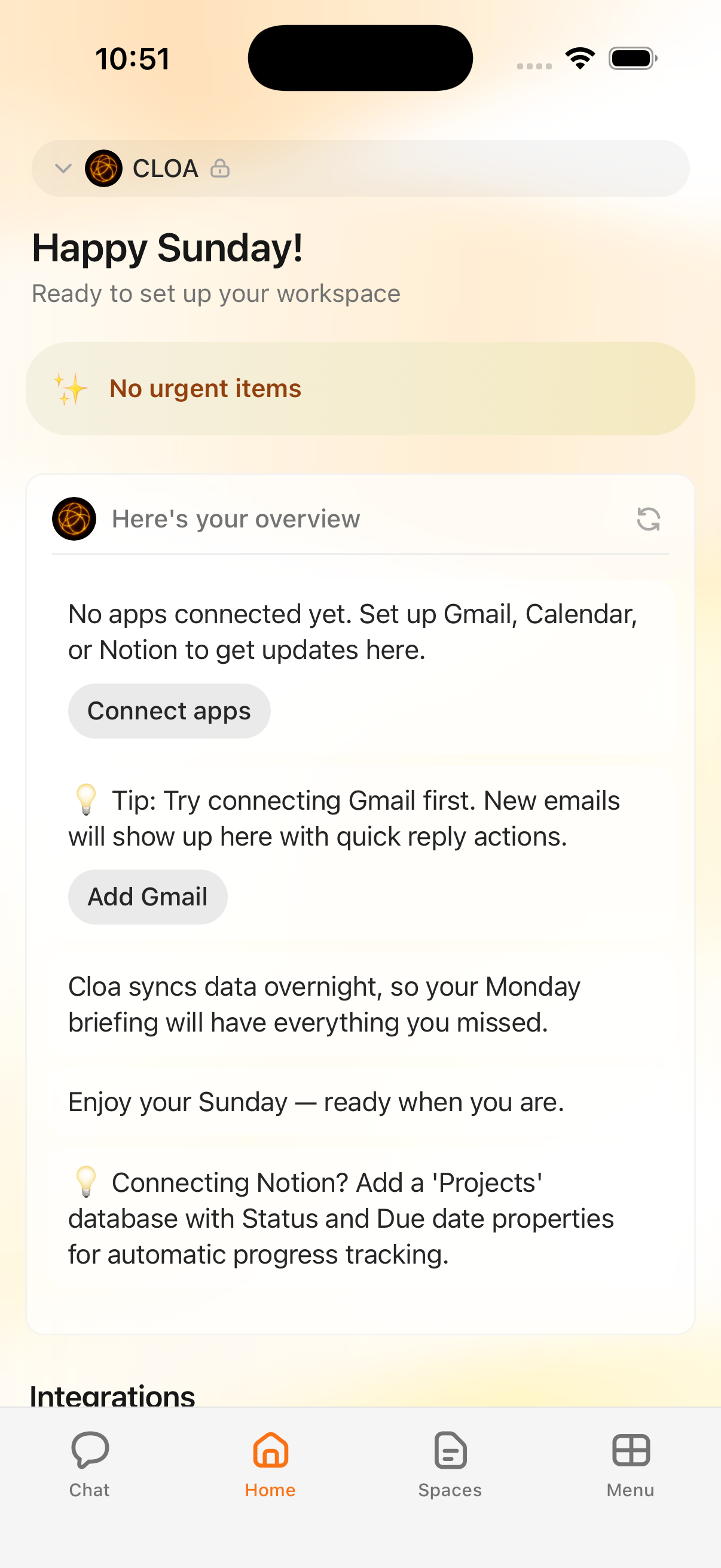
No apps connected yet. Set up Gmail, Calendar, or Notion to get updates here.
A Connect apps button takes you straight to integration setup. You may also see short tips, such as a suggestion to start with Gmail so new messages show up in the brief with quick-reply actions. Once you connect your first app, the next refresh fills in the brief with real content from that source.
Customizing your brief
The simplest way to get a richer brief is to connect more apps. Each new integration adds a new layer of context, and the more sources Kyona has, the more useful the Home tab becomes. You can manage which apps are connected at any time from Settings.
There are no separate brief preferences to configure today. The brief reflects whatever you've connected, and the integrations grid on the Home tab is the quickest way to see the current state.
Coming soon
A dedicated brief settings screen — for choosing which sections appear, reordering them, and tuning proactive nudges — is on the roadmap. Until then, connecting and disconnecting apps from Settings is the main way to shape what shows up.