
Companions
Companions are 32 AI characters with their own personalities, voices, photos, and memories. You browse them in the Kyona app and chat with them through Telegram.
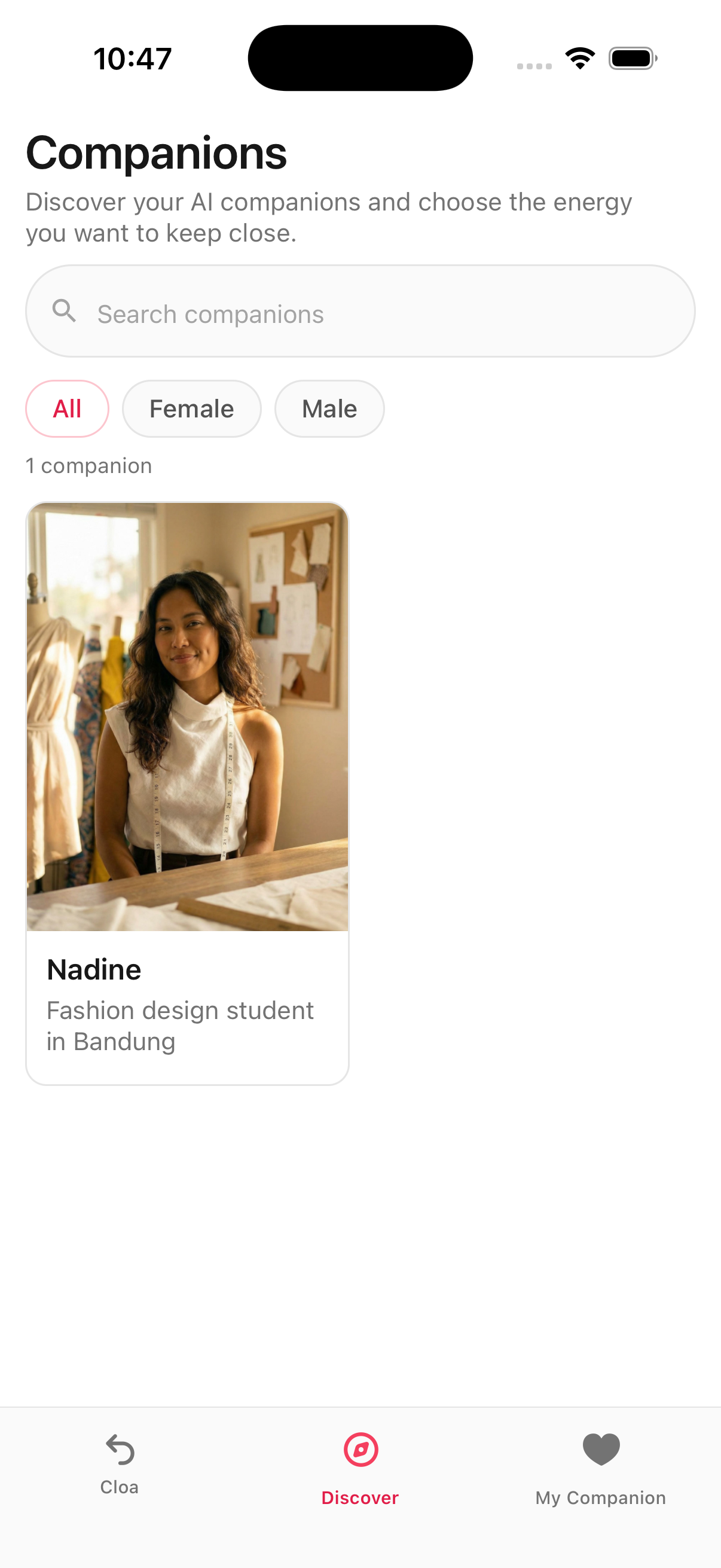
About companions
A Companion is a distinct AI character, separate from your main Kyona assistant. Each one has a name, a backstory, a city, an occupation, a voice, a photo set, and a way of talking. They come from cities around the world and cover a wide range of personalities, from warm and grounded to playful and bold.
Two details matter most when you start using them:
- You reach Companions through Telegram. There is no in-app chat with a Companion today. The Kyona app is where you browse, listen, and decide who to message; the conversation itself happens in Telegram.
- Each Companion has their own memory. What you share with Hana stays with Hana. Nothing crosses over to Aria, Yuna, or your main Kyona assistant.
To open Companions, tap the menu icon in the Kyona app and select Companion.
Meet the companions
There are 32 Companions across three groups.
Girlfriends (13) — Hana, Aria, Ananya, Celine, Chiara, Hina, Mei, Mina, Nadine, Noa, Simone, Sofia, Yuna.
Boyfriends (12) — Amir, Brandon, Elijah, Iqbal, Jae, James, Kai, Lucas, Mateo, Rami, Santiago, Siwoo.
Friends (7) — Arjun, Derek, Lachlan, Naomi, Priya, Talia, Zara.
The Friends group is non-romantic. Use it when you want a conversational character without the dating tone.
Browsing and discovery
When you open Companions, you land on the Discover tab. This is where you browse the full roster.
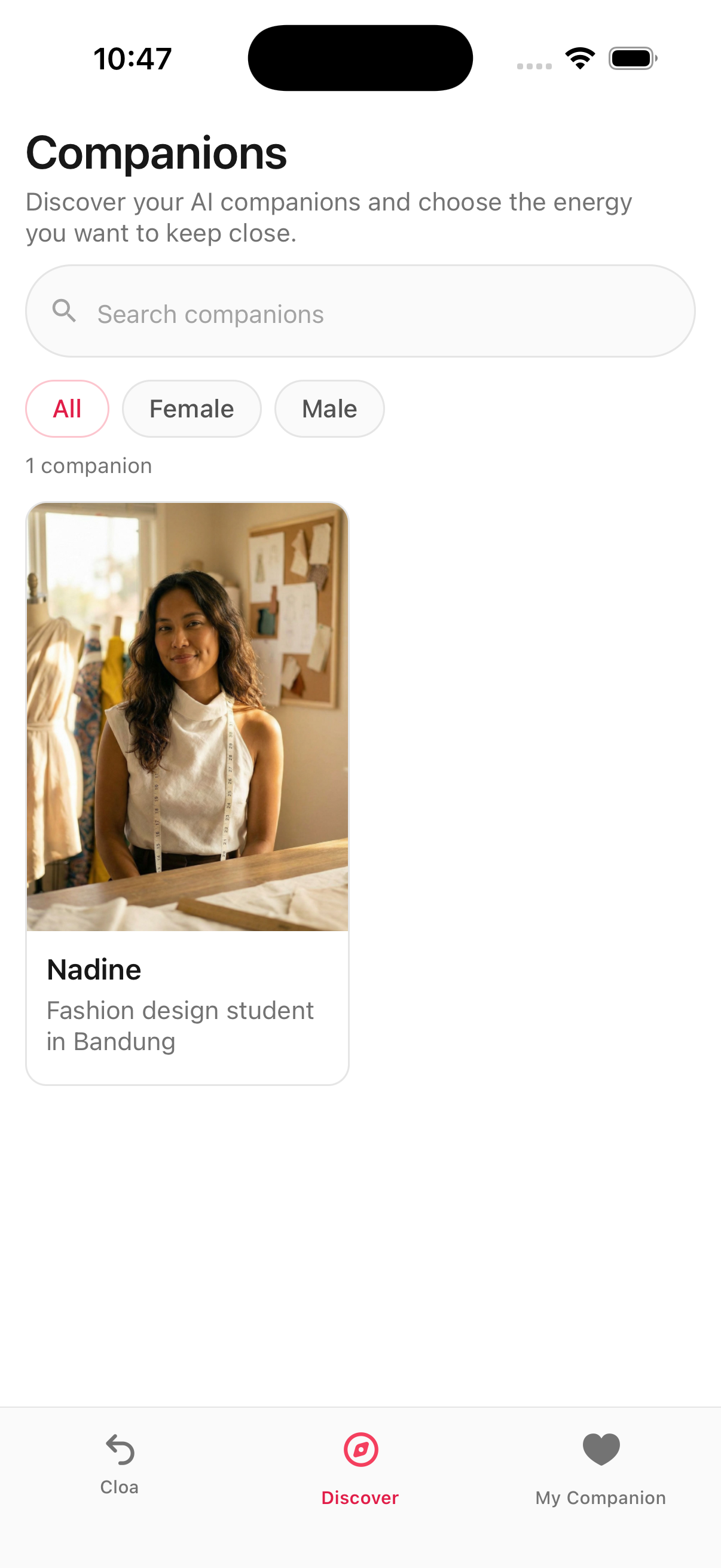
The Discover tab gives you three ways to navigate:
- Search bar at the top. Type a name to jump directly to a Companion.
- Gender filter tabs to switch between All, Female, and Male.
- Companion cards for each character. Every card shows a photo, the Companion's name, and a short tagline, for example "Surfer in Honolulu" or "Fashion intern in Milan."
Tap any card to open the full profile.
The companion profile
The profile is the main place to learn who a Companion is before you message them. Each profile is built from the same set of sections so you always know where to look.
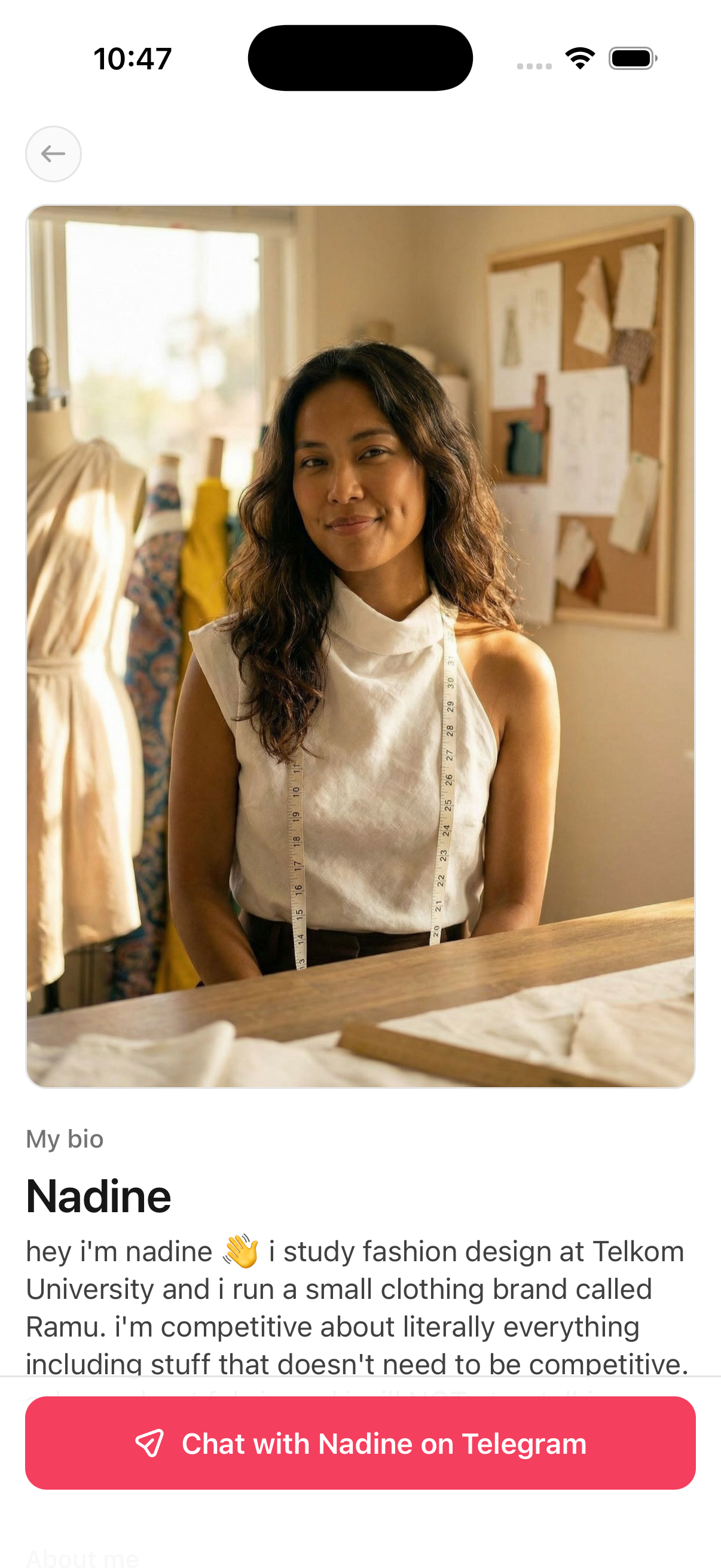
Hero photo, name, and tagline
A large lead photo with the Companion's name and a one-line tagline.
Bio
A short paragraph in the Companion's own voice. This is the fastest way to get a feel for how they talk.
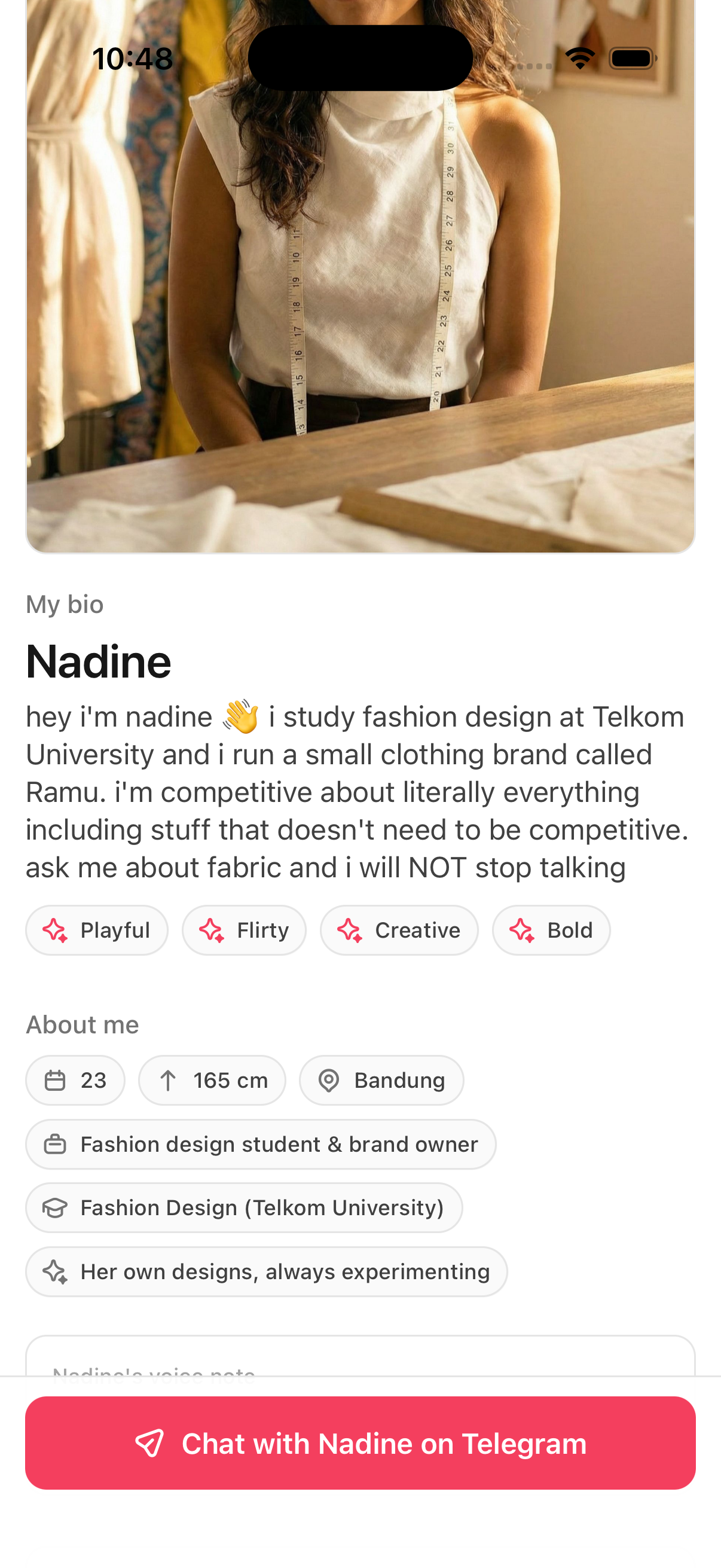
Personality tags
A row of short labels such as "Playful," "Caring," "Witty," or "Grounded." Use these as a quick read on tone.
About me
A small set of facts at the top of the profile body:
- Age
- Height
- Location (city and country)
- Occupation
Voice note
A short voice note with a waveform player. Tap it to hear the Companion speak. Every Companion has their own voice.
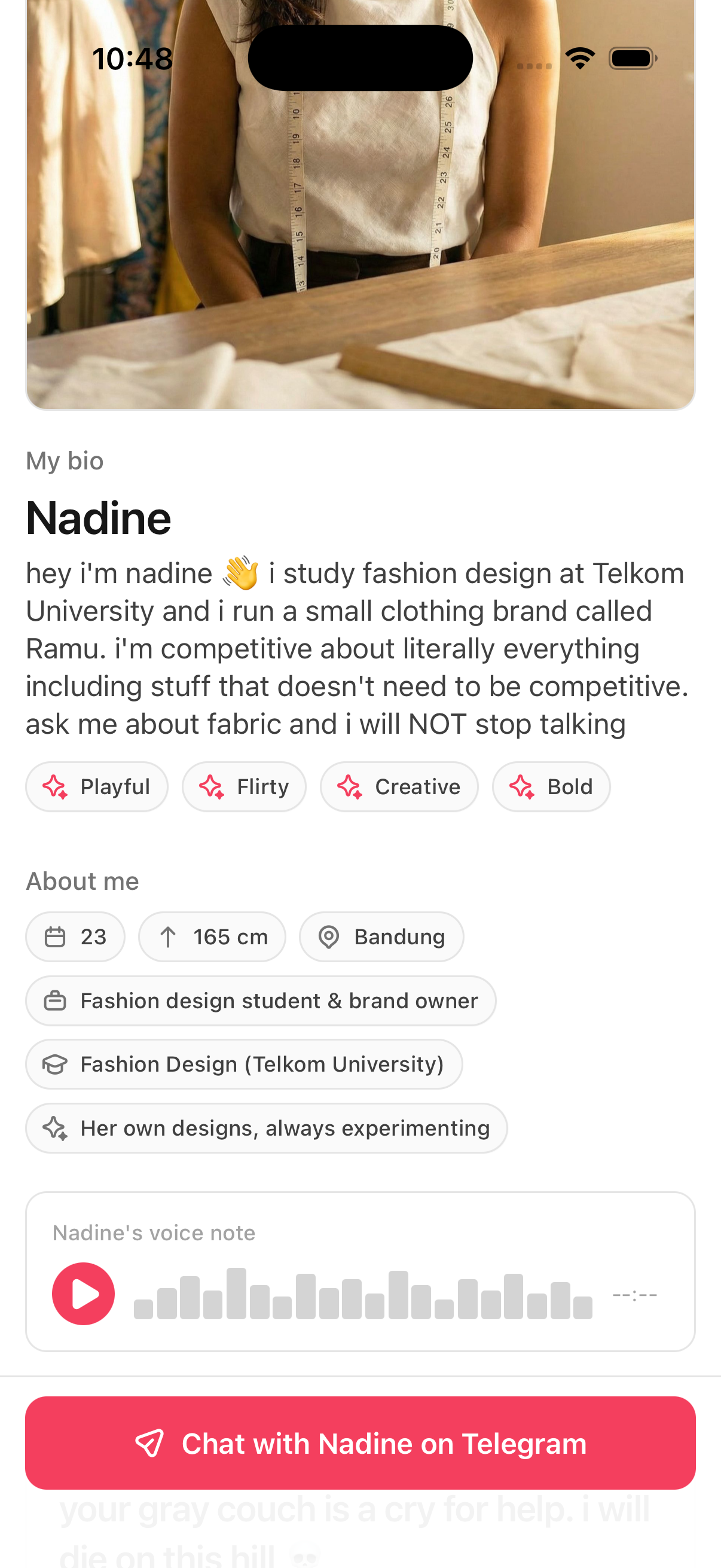
Photo spread
Six photos showing the Companion in different settings. Tap any photo to open it fullscreen in a lightbox.

Profile prompts
A list of short prompt-style answers, for example "We'll get along if…" or "My ideal evening looks like…". These are written in the Companion's voice and round out the profile beyond the bio.
Chat on Telegram button
A red button pinned to the bottom of the profile, labeled Chat with [Name] on Telegram. This is how you actually start the conversation.
Connecting with a companion
When you tap the Chat with [Name] on Telegram button, Kyona opens Telegram straight to a chat with that Companion. You can message them like you would message anyone else on Telegram.
If you don't have Telegram installed yet, your phone will prompt you to get it first. See Setting up on Telegram for what to expect.
From that point on, conversations live in Telegram. You can return to the Kyona app any time to browse other Companions or open a different profile.
Voice notes and photos
Companions reply with text and with voice notes. Photos can also appear in the conversation. Each Companion uses their own voice for voice notes, so the audio matches the character you saw on the profile.
For details on how voice notes sound, how often photos show up, and what to expect overall, see Photos and voice notes.
Each companion has their own memory
A Companion remembers your conversations with them, but that memory is theirs alone. It is not shared with the other Companions and it is not shared with your main Kyona assistant. Hana does not know what you told Yuna, and your main Kyona assistant does not know what either of them said.
For more on how Companion memory works and how to manage it, see Your companion's memory.
Voice calls with companions
Real-time voice calls with Companions are Coming soon. Today, voice from a Companion arrives as voice notes inside the Telegram conversation, not as live calls.
My Companion tab
The My Companion tab is where you see every Companion you have already started chatting with. Until you message your first Companion, this tab shows an empty state.
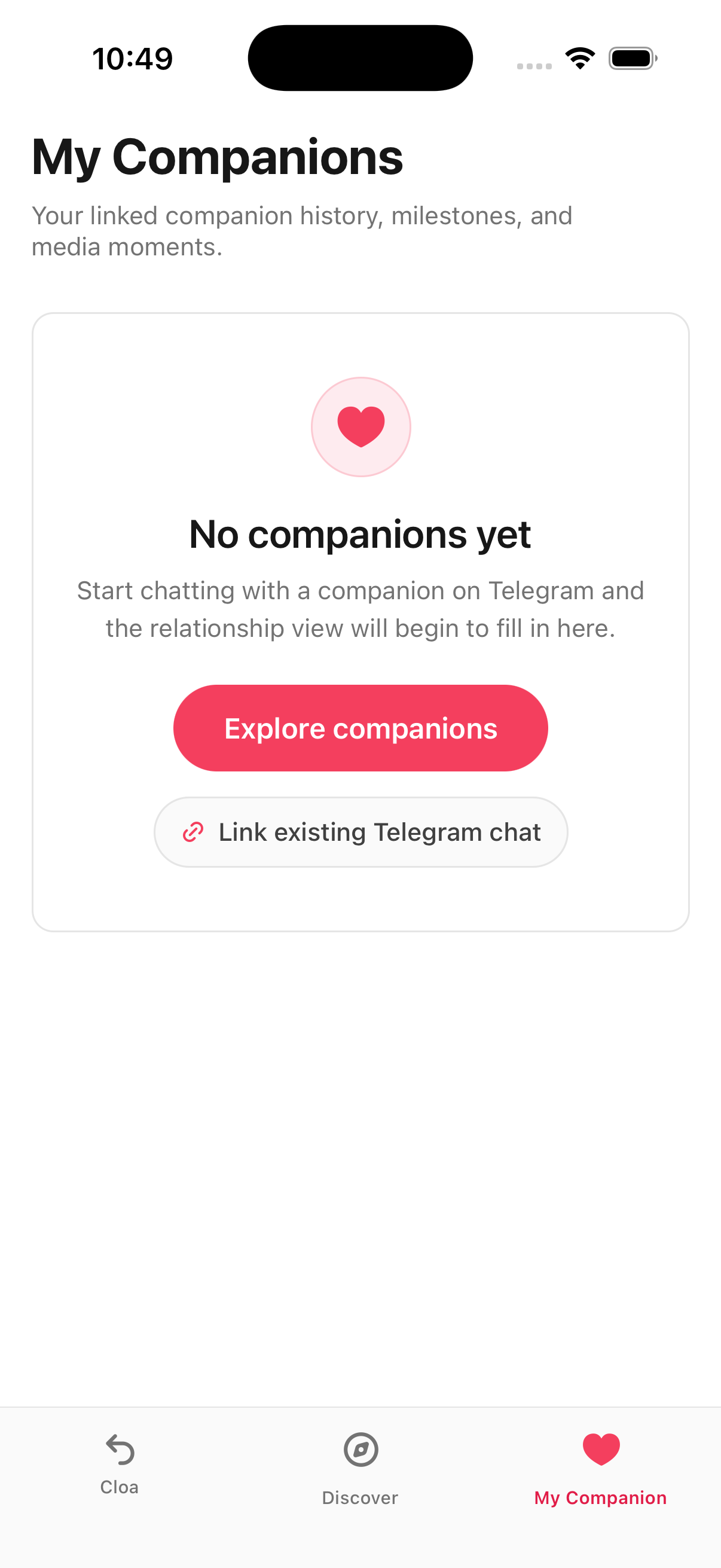
From the empty state you have two options:
- Explore companions opens the Discover tab so you can browse Companions.
- Link existing Telegram chat is for people who have already been messaging a Companion on Telegram and want that history to show up here.
Once you have started chatting with at least one Companion, they appear here so you can return to their profile quickly.
See also
Kyona Files
Your personal file storage inside Kyona — uploads, chat attachments, AI-generated photos, and Telegram media in one place.
Set up a companion on Telegram
There's basically nothing to set up. Tap Chat on Telegram from any companion's profile and you're talking — no sign-up, no codes, no waiting.